
Transactional data: why you need it and how to find it in CASAFARI
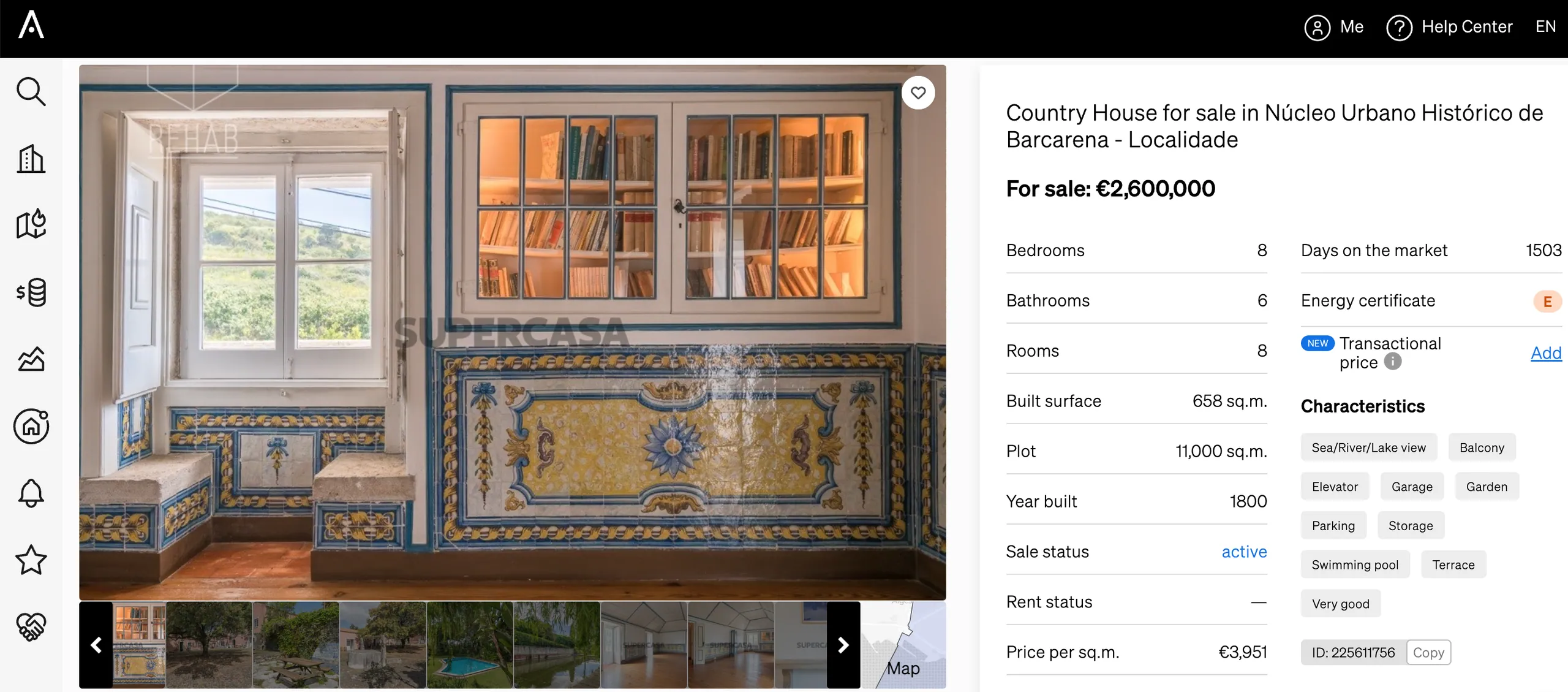
Real estate transactional data (closing prices) reveals how the property market actually behaves compared to asking prices. By showing actual deal values, it helps estate agents set realistic prices, calculate negotiation margins, manage client expectations, and close transactions faster. Property professionals can view and upload closing prices directly inside CASAFARI’s Property Valuation reports, Market Analytics, and property pages to make data-backed decisions.
How does transactional data benefit your real estate business?
1. It helps the agent face the prices of a specific market realistically
No matter whether you’ve just started working in a market or if you’re looking for property outside of your area for a special client, with CASAFARI’s transactional data at your disposal you will always know how the market behaves without the need for previous experiences.
2. Transactional data helps you strategise the acquisition and sale of property
Imagine that you identify that the type of property you’re about to put on the market is usually sold for 10% less than the asking price in your market. In this case, you will know to charge around 10% above the desired price, already counting on this negotiation margin.
The same goes for when you’re buying a property for a client: the agent can feel free to look for properties slightly above their client’s budget, already counting on negotiating to lower 10% of the price.
3. It sets your clients expectations
In an area where the demand is higher than the amount of properties available on the market or in which there is a lack of a certain kind of asset, buyers are forced to compete for real estate, making higher offers and raising the transactional prices once again.
On the other hand, when an area has a decrease in demand or is going through times when buyers are facing a limited payment capacity, they will probably try to negotiate prices. In situations such as these, the asking price will be different than the actual transaction price.
When you have access to CASAFARI’s transactional data, you don’t need to wait until you can feel the market. Your seller client already knows up front if they should prepare to consider different proposals, as well as your buyer client will be aware of how bold they can be when selecting the properties interesting to them.
4. Transactional data leads to faster deals
When the agent knows how the buyer or seller is going to react, it’s like taking a shortcut: there’s no need to study the market, they can make offers or put property for sale more assertively, already aware of what they need to seal the deal.
Want an example? Imagine you’re selling a property in an area where residential properties show a 10% negotiating margin. You can settle an agreement with the owner in which you are allowed to automatically accept any offer to buy the property for 10% less (or a smaller margin) than the asking price.
This is only possible if you know what’s according to the market and what’s outside of an acceptable negotiation for that area.
Where can you find transactional data inside CASAFARI?
On our Property Valuation
As you might already know, our Property Valuation reports provide real estate professionals with the most relevant information to establish a pricing strategy for buying or selling a property.
One of the pieces of data found inside our reports is the average closing price, showing where to see comparables with real closing prices and how much comparable properties are usually sold for.
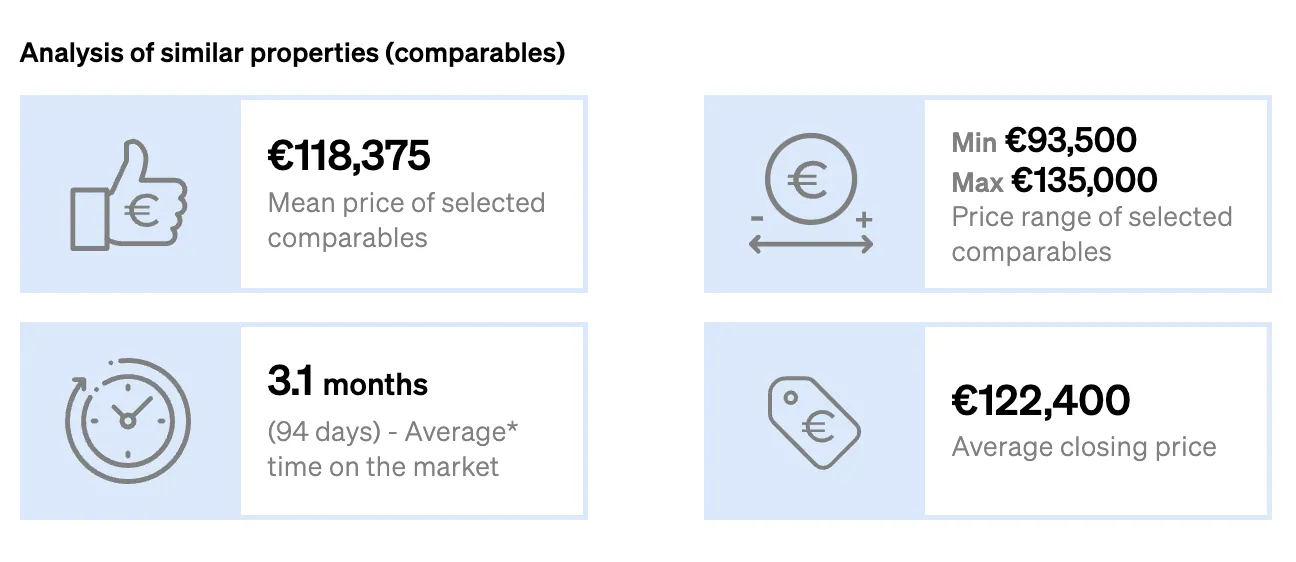
NEW: transactional data on your property valuation report
On Market Analytics
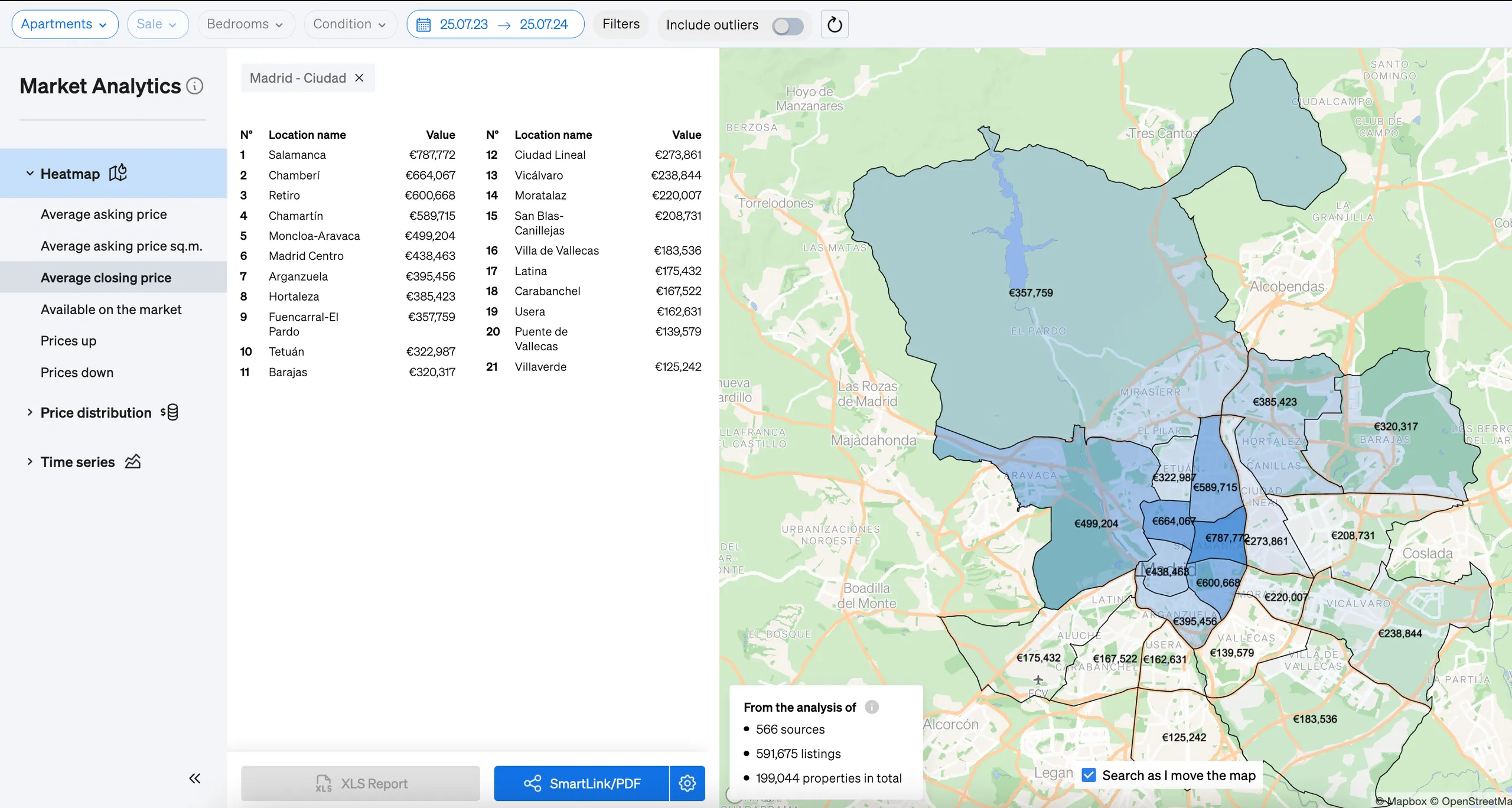
Market Analytics and Area Insights also show you the average closing price for properties with specific characteristics in a designated area of the city. This feature allows agents to understand how much negotiation is involved in closing deals per area and whether they should hope for increasing or decreasing prices on the process.
Why should you add your own transactional data to CASAFARI?
When it comes to transactional data, comprehensive market coverage provides clarity. Switching from a sample of what goes on with one agent to seeing what usually happens to a whole community of professionals provides you with a more comprehensive and realistic view of how the market actually behaves.
Also, you should know that the data you add to CASAFARI from your real estate transactions can be seen only by other agents from your own company. So, basically, you’re helping the company to enhance its market knowledge, increase revenues and leave clients satisfied.
How do you add closing prices from your real estate transactions to CASAFARI?
The way to add the data of a transaction to CASAFARI is very simple:
- Search for the property you sold;
- Click to open its property page;
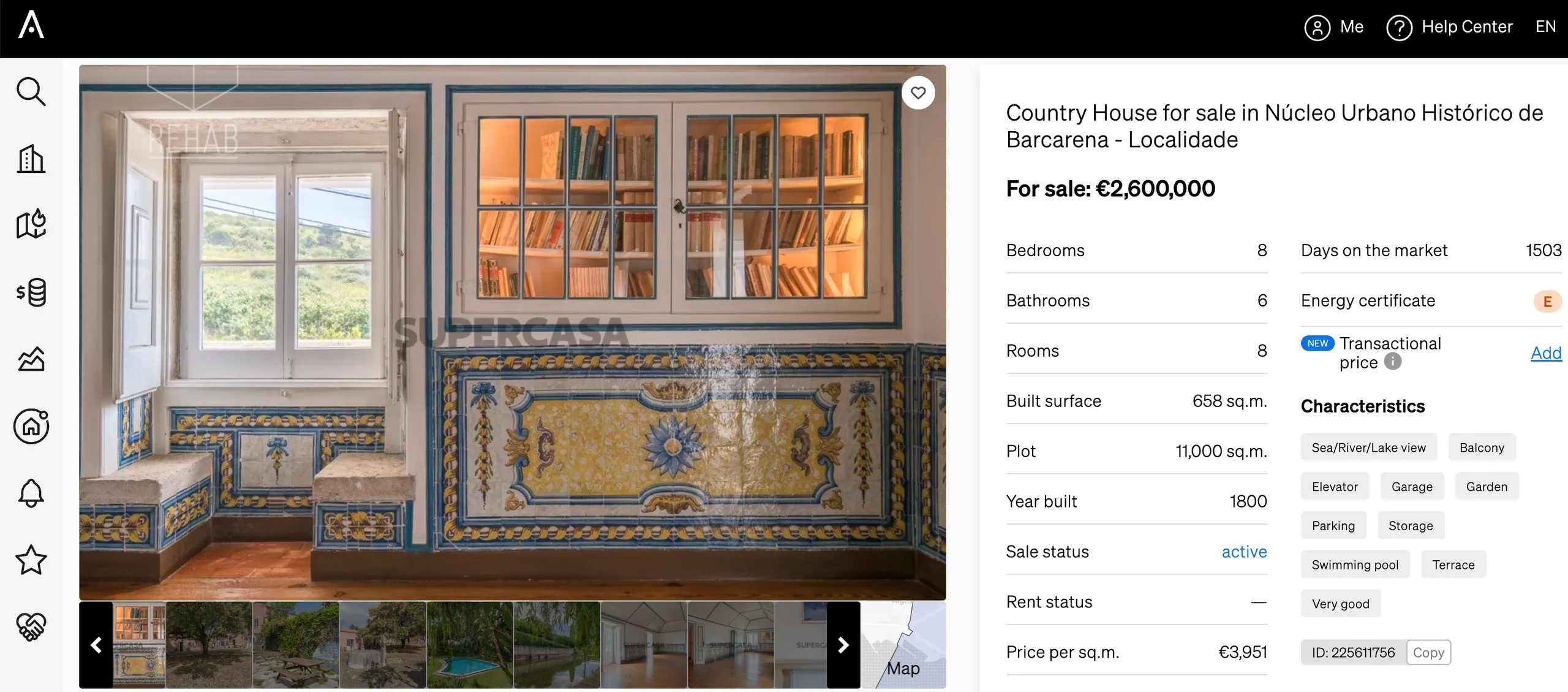
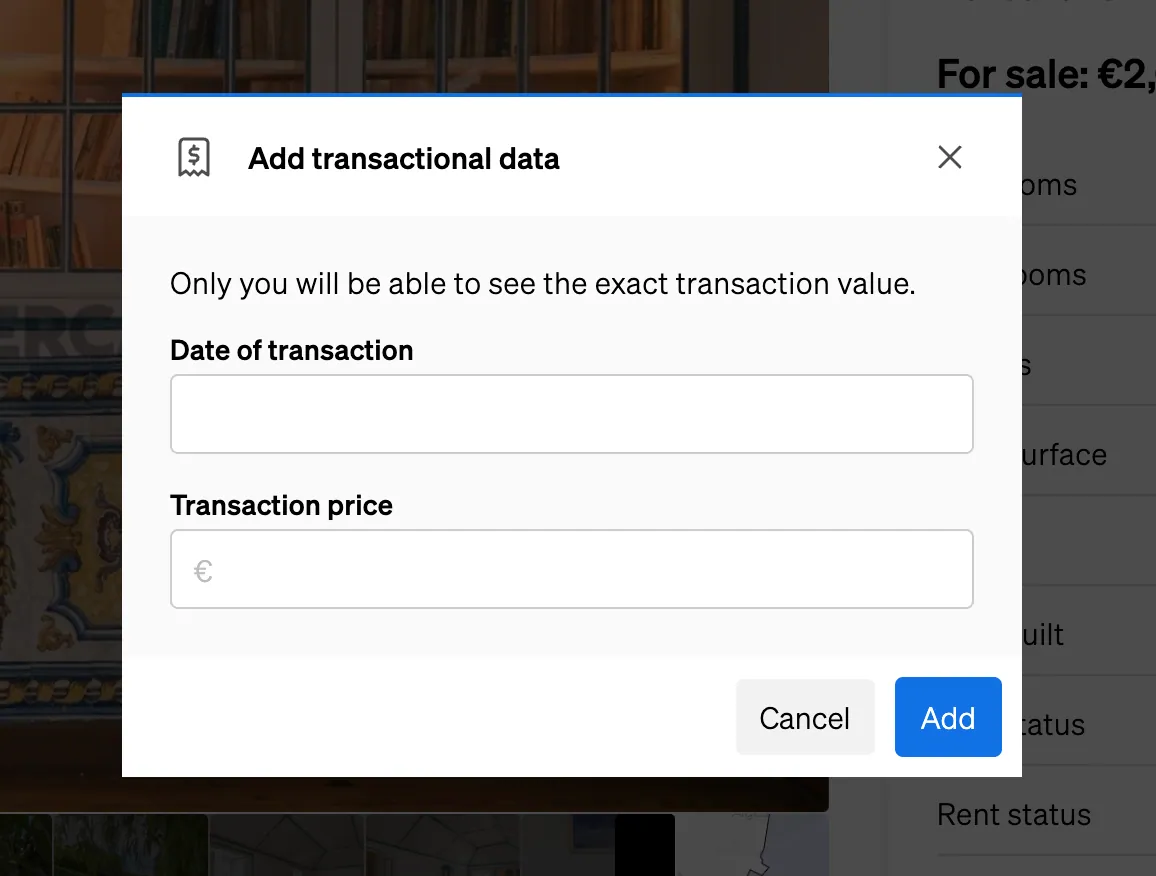
- At the far right of the page, find the field “Transactional price” and click on “Add”;
- Complete the pop up with when the transaction happened and for how much.
Adding transactional data in bulk
If you want to update information about transactional data for many properties at once, there is a way to do so as well.
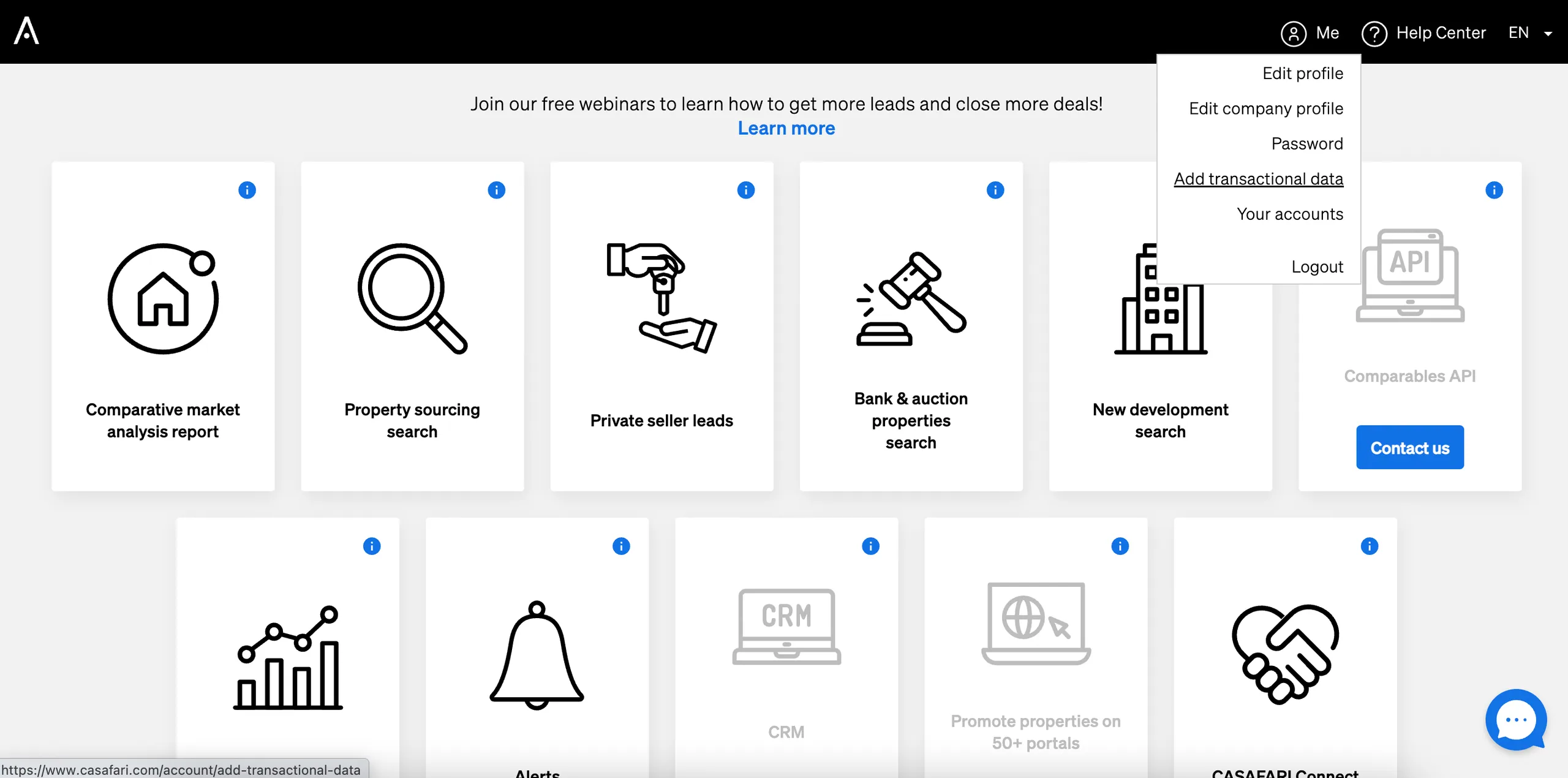
- Log in to CASAFARI;
- Select “Me”, on the top right corner of the page;
- Click on “Add transactional data”.
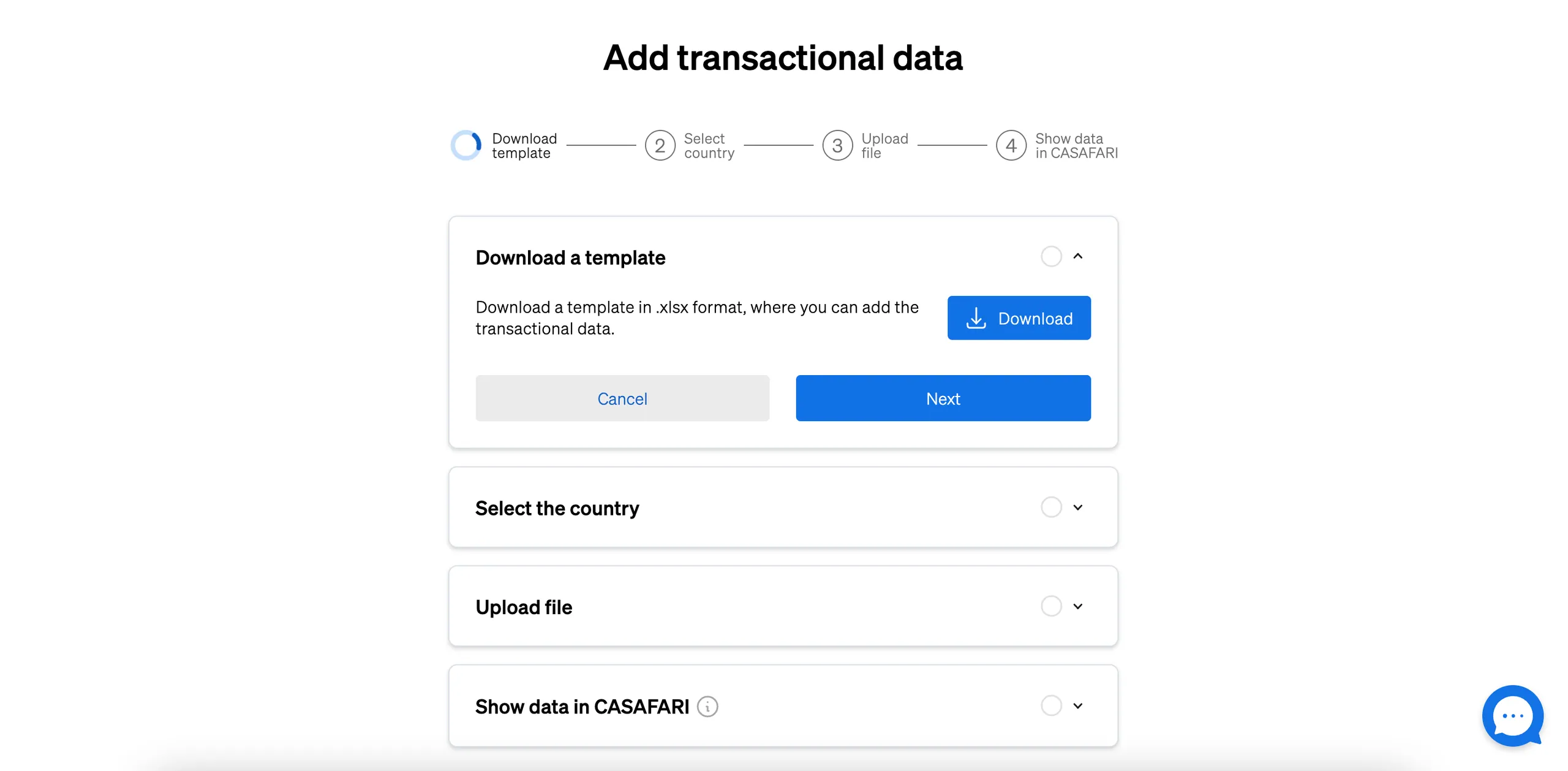
- Download the template document in which you can add the information about the transactions and, then, click “Next”;
- Select the country where your transactions took place and click “Next”;
- Upload the file with the information you wish to input to CASAFARI and click “Next”;
- Wait for our platform to process the document and then select “Upload data in CASAFARI”.
Now that you know how relevant it is to look at transactional data before approaching a negotiation for a property, take some time to upload information from your latest real estate transactions and share this market knowledge with your colleagues. Enable more deals for your company with data.
Frequently asked questions
What is the difference between asking prices and transactional data in CASAFARI?
Asking prices originate from indexed property listings and represent initial seller expectations across real estate portals. Transactional data, or closing prices, reflects the final prices properties actually sold for. Comparing the two reveals the true negotiation margin between listing prices and closed deals in a specific market.
Where does CASAFARI get its closing-price data?
CASAFARI collects closing prices from official open data sources and public registries, such as INE in Portugal, DVF in France, Agenzia delle Entrate in Italy, RCN in Poland, and Statistik Austria. Data also comes from notary records like Notariado in Spain and closing prices reported at company level by CASAFARI clients. Developers can also explore the CASAFARI Comparables and Valuation API documentation for technical integration details.
Where can I see closing prices in CASAFARI?
Closing prices are displayed in CASAFARI’s Property Valuation reports, showing the average closing price for comparable properties. They are also available within Market Analytics and Area Insights to show average closing values across defined locations, as well as on individual property pages.
Who can see the transactional data I upload to CASAFARI?
Transactional data uploaded from your deals is visible exclusively to other real estate agents within your own company. This ensures confidentiality while helping your internal team build shared, reliable market intelligence.
Can I upload multiple property transactions to CASAFARI at once?
Yes, you can upload transactions in bulk. Log into CASAFARI, navigate to ‘Me’ in the top right corner, select ‘Add transactional data’, download the template document, enter your transaction details, select your country, and upload the completed file.