
New customisation options for your property valuation report
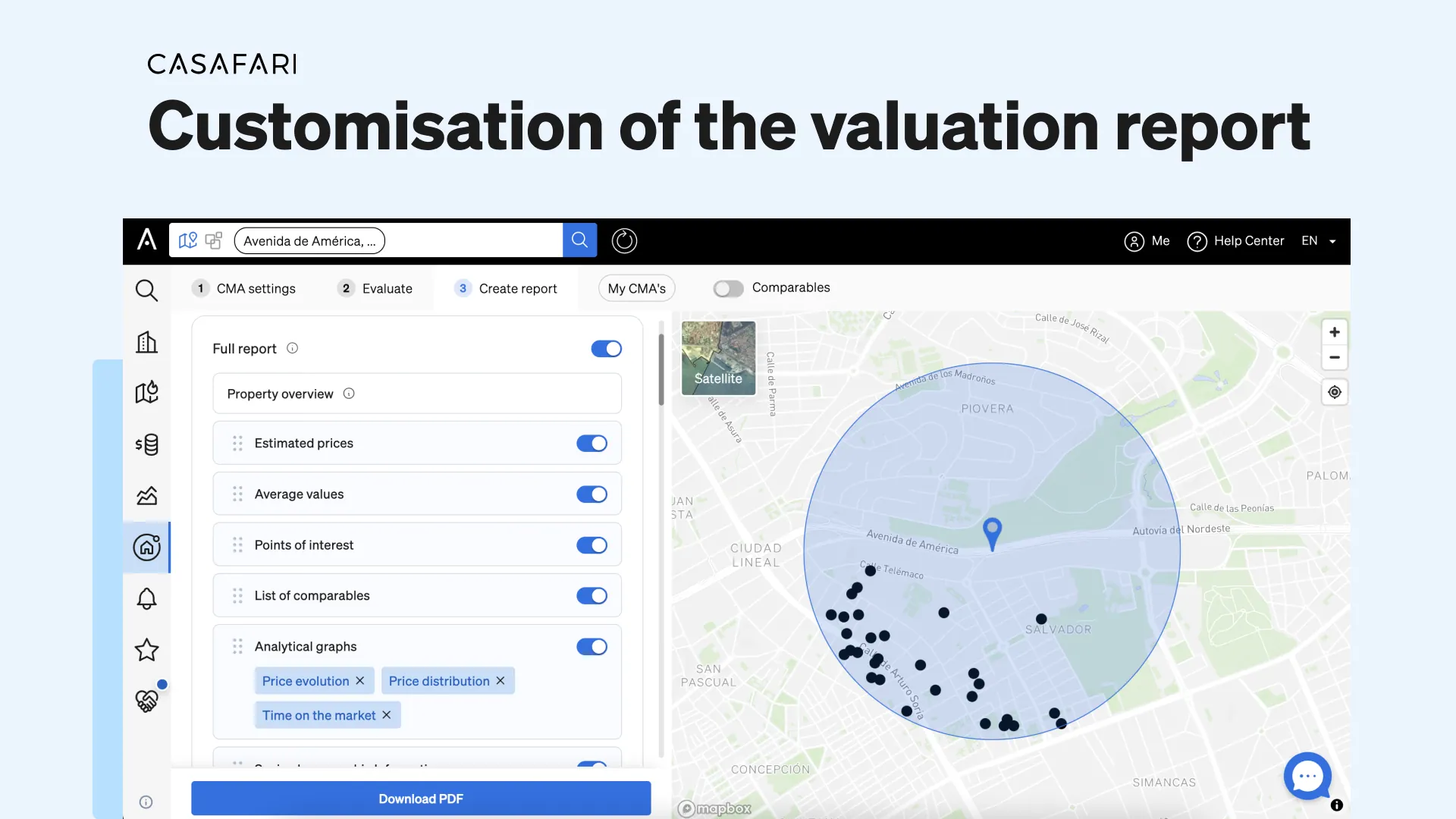
In CASAFARI’s property valuation and market study tool, you can customise your property valuation report in three main ways: rearranging the display order of sections such as estimated prices, comparable properties or time on the market, uploading a professional agent photograph with contact details, and applying your estate agency’s logo and brand colour across the document.
A different valuation report to each client
Not all information is useful to every client, right? If you need to show a potential client that there’s room to raise the asking price for their property, then probably the estimated prices provided by CASAFARI and the list of comparable real estate with higher prices are very important for you.
On the other hand, imagine you have reason to believe that decreasing the asking price is not only the right way to sell a property faster, but something needed: the property is overpriced and it’s been for sale for too long. In this case, you probably would want to put the “time on the market” chart as a highlight of your valuation report, so your client sees how many days properties such as theirs usually spend on the market on average.
Due to this reason, now, besides being able to choose which kind of content you wish to show your client, you can also define the order the information should be presented on your valuation reports. You can prioritise what’s relevant to each client individually, making your valuation reports truly customised.
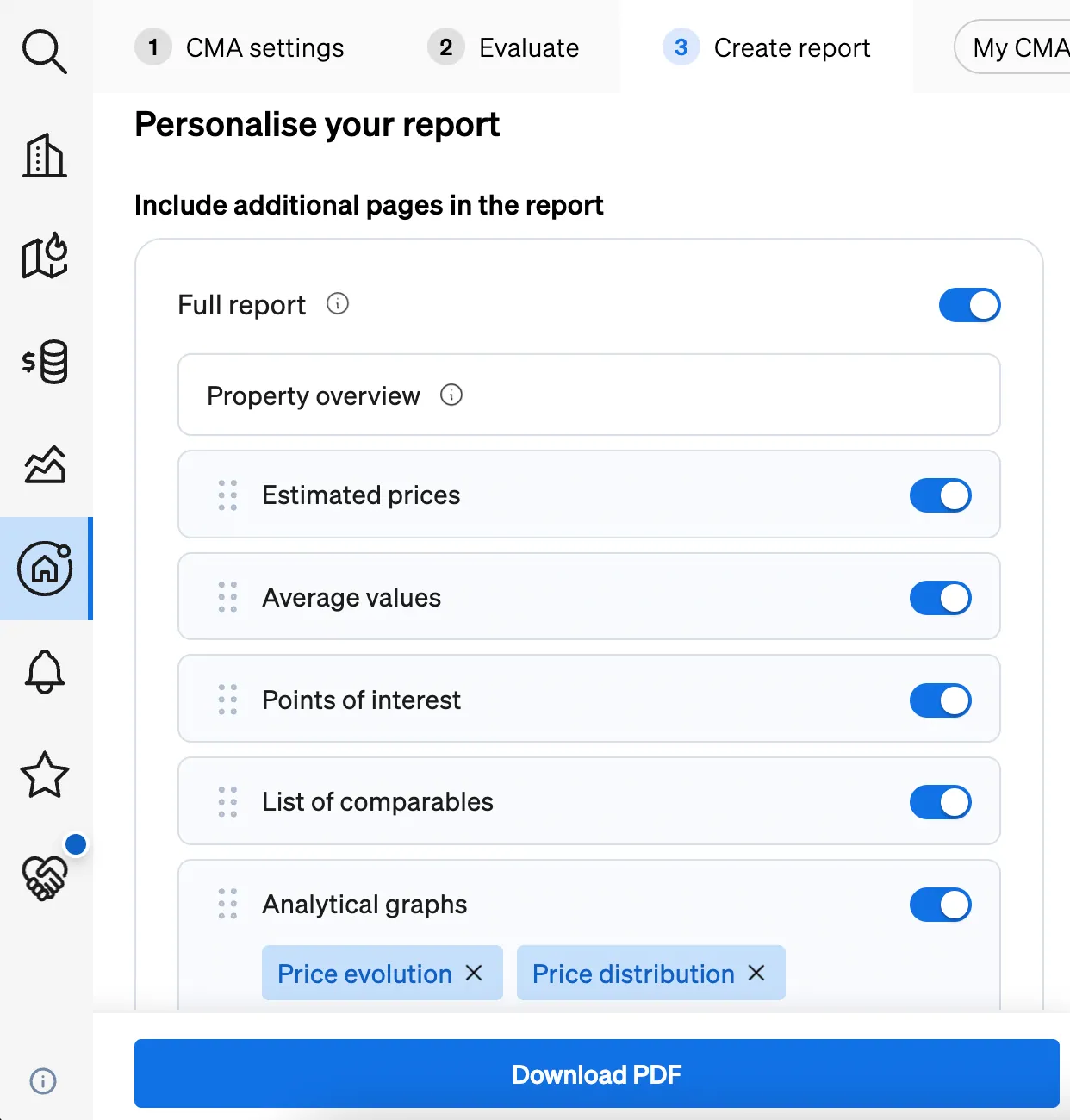
To edit the content and order of your valuation report, simply click and drag each section to reposition and highlight what is most relevant to your needs.
Looking for an online property valuation that’s trustworthy and done in seconds?
Allow your clients to remember you
If a client is looking for an estate agent to sell their property or to find the home of their dreams, there are two things they will look for: credibility and a friendly face they can rely on. But how to make sure your face is remembered when most communication nowadays is through emails and messages?
By giving them a chance to see you.
You can now choose which photo you want on each of your valuation reports and add it to the document at the moment you’re creating it. Different photos can be used with different clients, depending on how you want to present yourself.
Having your image on the property valuation report not only helps increase the recognition of the estate agent, but also enhances the trust between client and professional, since people will be able to put a face to the agent who’s been talking to them.
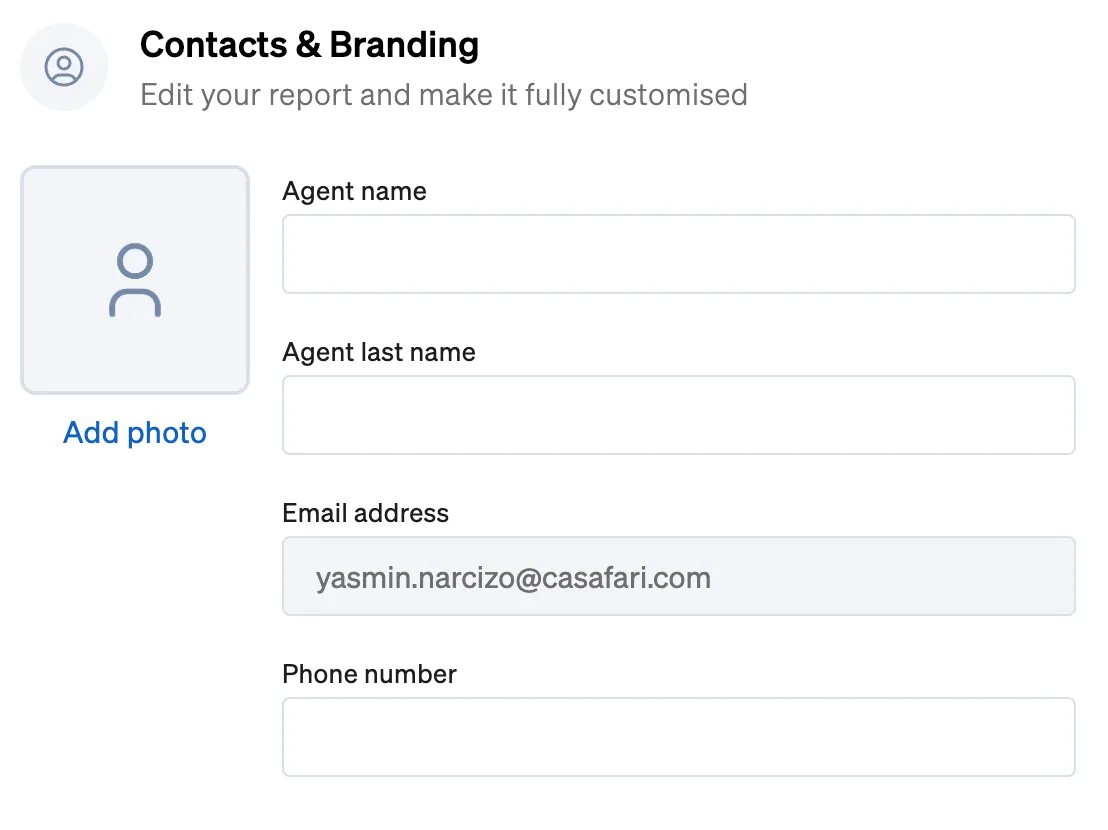
In order to make your photo stand out, ensure that it looks professional and friendly.
How CASAFARI’s market analysis helps estate agents sell more and faster
A property valuation report that makes your agency recognisable
When someone sees the name of your estate agency, its logo and its colours repeatedly, it’s only natural that they start to get used to this identity. Every time they are impacted by your communication efforts through your website, a brochure, your social media channels, an email campaign and a valuation report, for example, it helps reinforce your branding.
After a while, this visual identity becomes well-established in the minds of your customers, making sure they instantly recognise the company when exposed to your branding. This builds trust, enhances your credibility, increases the awareness of your brand and can even lead to higher conversion rates.
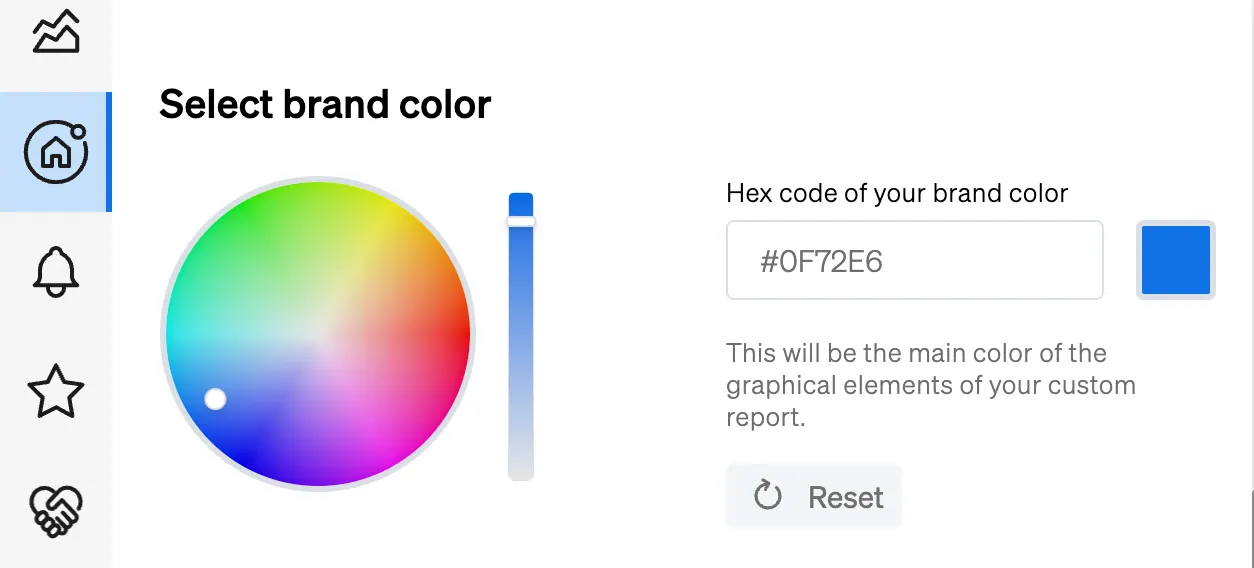
That’s why now you can personalise your valuation reports inside CASAFARI with the main colour of your estate agency’s brand identity, as well as with its logo. The colour of your choice will appear throughout the document, making sure your company is remembered.
For more details on setting your logo and brand colours on reports, the administrator of your account can set default branding for the whole organisation on the company profile.
You can sign in to CASAFARI to create a customised property valuation report for your client today.
Frequently asked questions
How do you change the order of sections in a CASAFARI property valuation report?
Besides choosing which content to show, you can click and drag each section to reposition it and highlight what is most relevant to an individual client. For instance, you can prioritise estimated prices, higher-priced comparables or the average time on the market chart.
Can you add a different agent photograph to each valuation report?
Yes, you can select and upload the photograph you wish to display at the moment you create each report. This allows you to tailor how you present yourself to different clients, enhancing trust and professional recognition.
How do you apply your estate agency’s brand colours and logo to valuation reports?
You can use the colour picker in CASAFARI to apply your agency’s main brand colour and logo throughout the document. Alternatively, an account administrator can set default colours and logos for the entire organisation on the company profile.
Which data sections should you prioritise when a property is overpriced?
When a property has been on the market for too long and requires an asking-price reduction, you can place the ‘time on the market’ chart at the top of the report. This clearly shows the client how many days comparable properties spend on the market on average.
Can developers generate property valuations and comparable reports via API or AI assistants?
Yes, technical teams can integrate CASAFARI’s Comparables and Valuation API documentation or connect AI assistants through Casafari MCP to automate comparative market analyses. This allows property valuations and market data to be generated programmatically at scale.