
How to benefit from CASAFARI’s Favourites folders
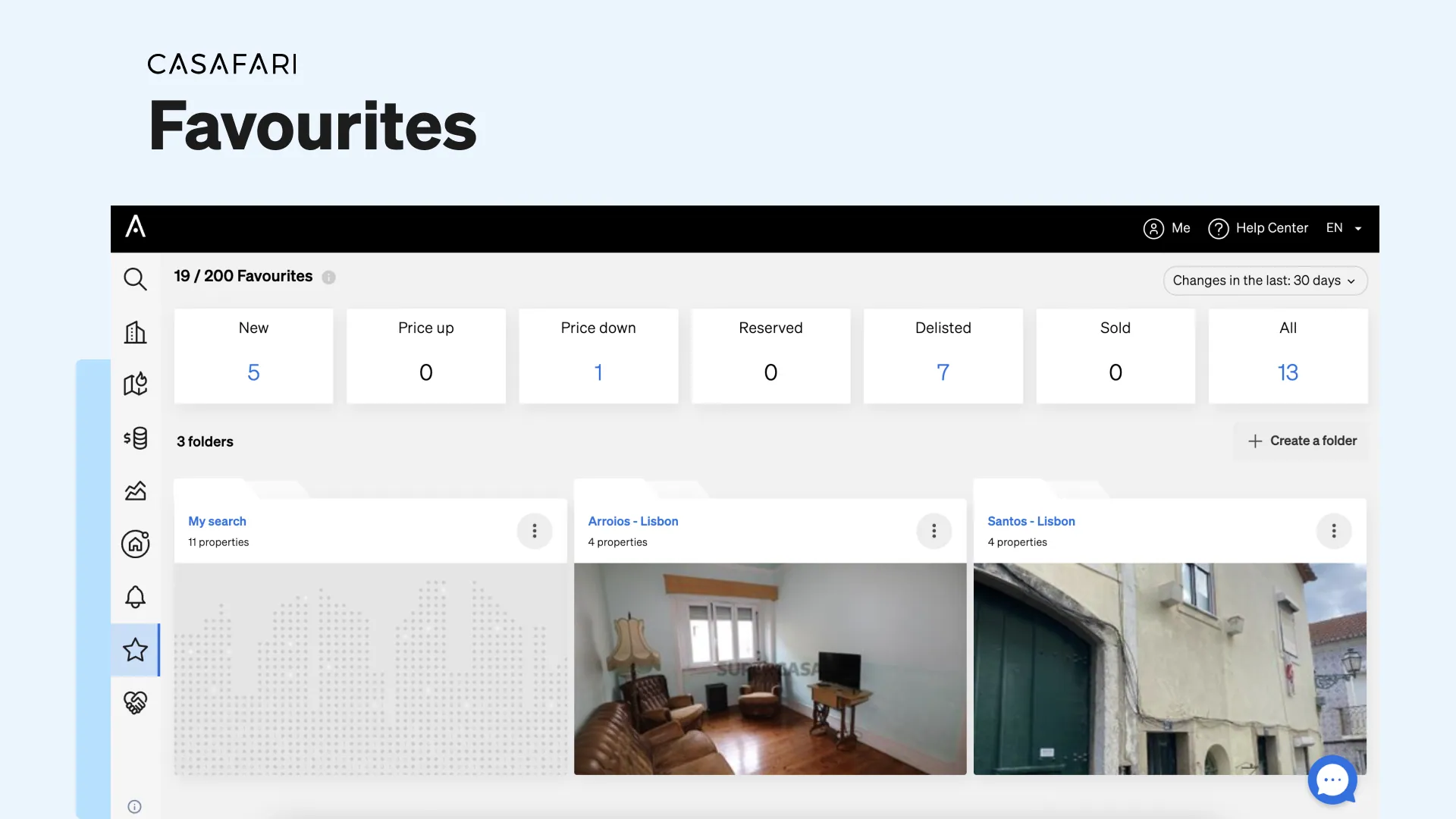
CASAFARI’s Favourites folders let estate agents, brokers and property investors save up to 200 properties per account and receive daily email updates on asking-price changes, new listings, reservations, delistings and sales over the last 24 hours, 3, 7 or 30 days—helping them spot exclusivity breaches, track competing comparables and buy or sell at the right moment.
How do CASAFARI’s Favourites folders and dashboard work?
When you save a property to your Favourites, you get to choose whether you want to add it to an existing folder or create a new one, allowing you to organise and manage your favourite properties in folders. On your Favourites dashboard, you will see information about:
- Price changes and new listings of these properties;
- How many and which of your Favourites were reserved, delisted or sold.
You can also choose to see data of the last 24 hours, 3 days, 7 days or 30 days, in order to provide you with information about what’s going on at the moment or allow you to have a broader view.
Additionally, you can click on a folder to see updates solely about the properties inside it. And, finally, another option is to sort the order of the properties by price or to show the ones that were recently updated.
Now that you know how our Favourites work, let’s see how your business can benefit from it.
3 ways the Favourites folders can help your business
Monitoring your portfolio as an estate agent or broker
By organising properties into folders, you can easily handle monitoring your competitors and portfolio in real estate. Favourites will show you:
- Exclusivity breaches: with the notifications of your Favourites folder, you will be able to see when a new listing is published by someone else for a property in your portfolio, meaning there’s an exclusivity breach.
- Competitive disadvantages: when there’s no exclusivity, you can use your Favourites folder to be aware of decreases in asking prices of properties in your portfolio, made by other listing agencies. This way, you can approach the owner and make sure you are able to sell the property for the same price, ensuring a fair competition.
These notifications are sent to you daily by email, keeping you informed without you even having to log in to our platform.
Monitoring interesting assets as a buying agent or property investor
You’re using CASAFARI’s Property Sourcing to see what’s available in the market and see a property that matches yours or your client’s criteria? Save it to your Favourites. It will notify you of decreases in asking prices for investment properties you’re interested in, so you can buy them at their lowest price.
In the end, the Favourites folder will work for you, helping you build a property portfolio full of market opportunities.
Making informed decisions about selling real estate assets
Want to keep an eye out for what’s going on with the properties that compete against yours or your client’s? The first step is to run a Comparative Market Analysis inside our platform, to find out which are the closest comparables to that property at the moment.
How to make a Comparative Market Analysis with CASAFARI
Once CASAFARI provides you with a list of comparables, save them to a folder inside your Favourites to keep track of their activity. By doing so, you will be able to measure the demand for properties similar to yours or your client’s, as well as figuring out when is the appropriate moment to sell.
If you notice that there are many properties similar to yours decreasing their asking prices, you might want to consider doing the same and sell sooner rather than later, since the market might be getting smaller for properties such as yours.
On the other hand, if the asking prices of the comparable properties are going up, you might want to delay the sale for a while, in the hope that you get a higher price for that piece of real estate.
How many properties can you save in CASAFARI Favourites?
Whether you’re interested in monitoring your property portfolio or finding interesting investment properties to buy, this can easily be done with our Favourites feature: today, you can have up to 200 properties saved in folders inside your CASAFARI account.
If you require a higher allowance for your business, you can manage your subscription directly in your account settings.
And if you haven’t started using CASAFARI yet, start benefiting from our portfolio control, property tracking and the many other uses of our platform to enable more deals.
Frequently asked questions
What updates can I track on the CASAFARI Favourites dashboard?
The Favourites dashboard displays asking-price changes, newly published listings for saved properties, and which properties have been reserved, delisted or sold. Users can filter activity by the last 24 hours, 3 days, 7 days or 30 days. Properties within folders can also be sorted by price or recent updates.
How do Favourites folders help estate agents detect exclusivity breaches?
By organising their portfolio into Favourites folders, estate agents receive daily email notifications whenever another agency publishes a new listing for one of their properties, immediately flagging an exclusivity breach. They can also track when competing agencies decrease asking prices on non-exclusive listings.
How can property investors and buying agents use Favourites folders?
After discovering opportunities through tools such as the CASAFARI Property Sourcing API documentation in English, investors and buying agents save properties to a Favourites folder. Daily notifications alert them whenever asking prices drop, enabling them to acquire assets at competitive prices.
How do Favourites folders support a Comparative Market Analysis (CMA)?
After performing a valuation and CMA in CASAFARI to identify comparable properties, agents save those comparables into a Favourites folder. Tracking whether competing listings lower or raise their asking prices helps agents advise sellers on optimal market timing and pricing strategy.
How many properties can I save in my CASAFARI Favourites folders?
A standard CASAFARI account allows up to 200 saved properties across Favourites folders. Users who require a higher allowance can manage their subscription or upgrade directly via platform.casafari.com.